What I build when nobody's paying.

Most of what I build lives inside a client's HubSpot. This is the rest. Apps for a Samsung TV, a native Mac app, browser extensions and AI that keeps client data private.

Why I build things nobody asked for.

Most of this started with a problem of my own. I wanted to know where my week actually went, so I built a Mac app to capture it. I wanted to see whether a game I'd written for the browser would run on a TV, so I learned how Samsung packages and signs apps and put it on one.

It's also how I keep up. HubSpot's developer platform changes every few months and AI changes every few weeks. The quickest way to find out what a tool really does is to build something real with it.

And it makes me quicker on client work. When a client needs a Cloudflare Worker, an extension to fill a gap in some SaaS tool, or an app function that talks to an API nobody's documented properly, I've usually already hit the awkward bits on something of my own. The client isn't paying for me to learn.

The same habits carry over to client work: test first, keep it secure, and know straight away when something breaks.

Custom development for HubSpot

Apps, extensions and AI at the edge.

Built and running. Where something is only tested, I've said so.

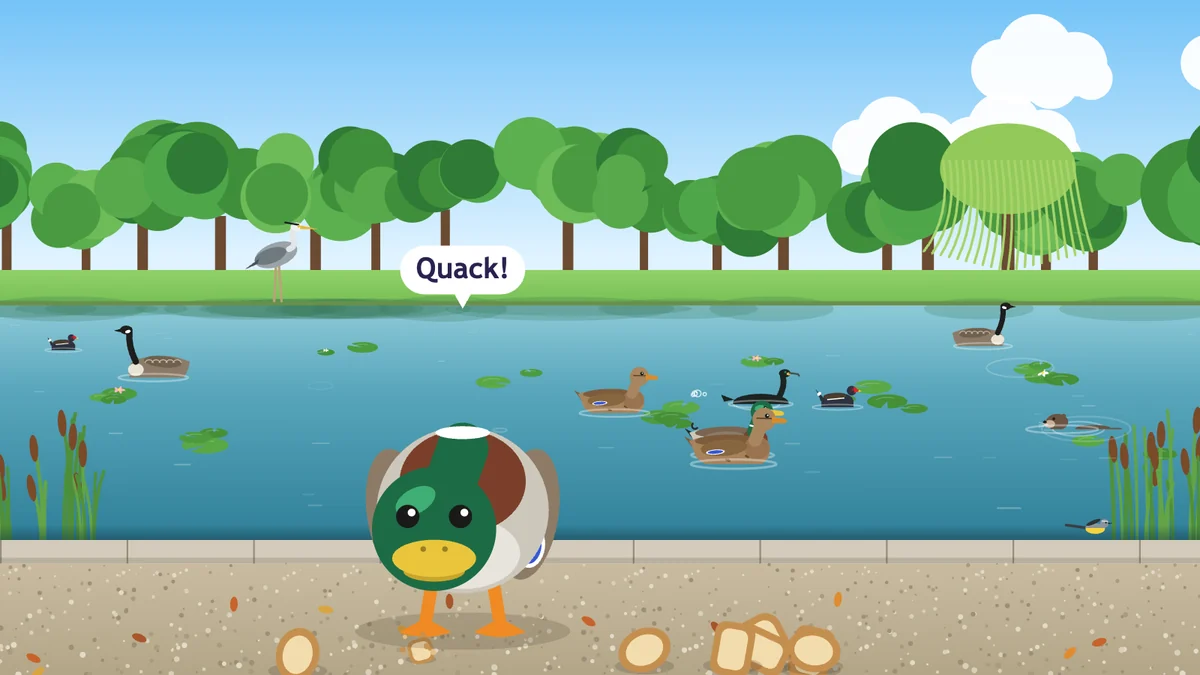
Games for a Samsung smart TV, packaged, signed and installed on the set.

Signed with Samsung's certificates and installed straight onto the TV over the network, then tuned to run smoothly on a television's processor. The same route works for reception screens, kiosks and digital signage.

A Mac app for tracking time.

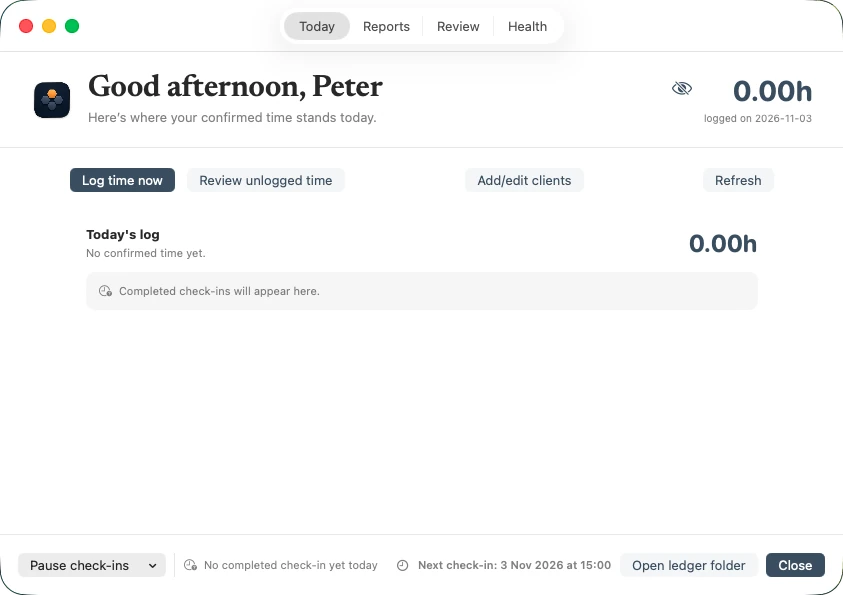
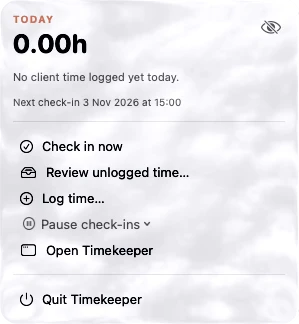
A menu-bar app for the Mac that turns a working day into time per client and checks in every hour so nothing goes unlogged.

Browser extensions for the gaps in other people's software.

Extensions for Chrome and Edge. One crawls a client's website, with their go-ahead, and lists every image with where it's stored, so when a project needs a client's imagery I don't have to chase them for the files. It also helps before a site rebuild or a content audit.

AI ticket classification that keeps nothing.

It reads a support ticket, puts it in the right category and forgets it. Nothing is stored or logged, so you get AI on your support queue without your customers' data going anywhere. Tested against tickets already sorted by hand.
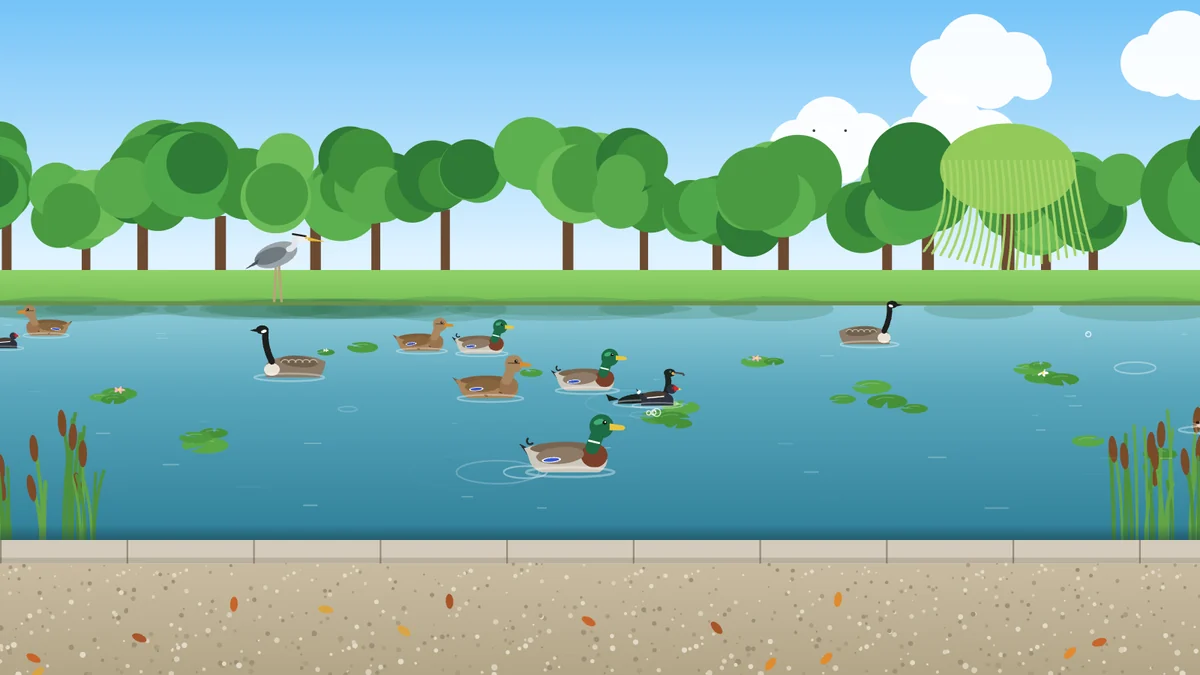
Feeding the ducks, the pond
Feeding the ducks, the pondA park pond game for my son on our Samsung TV: ducks, swans, geese, a heron and the odd otter, all drawn in code.Samsung TV game, HTML5 canvas
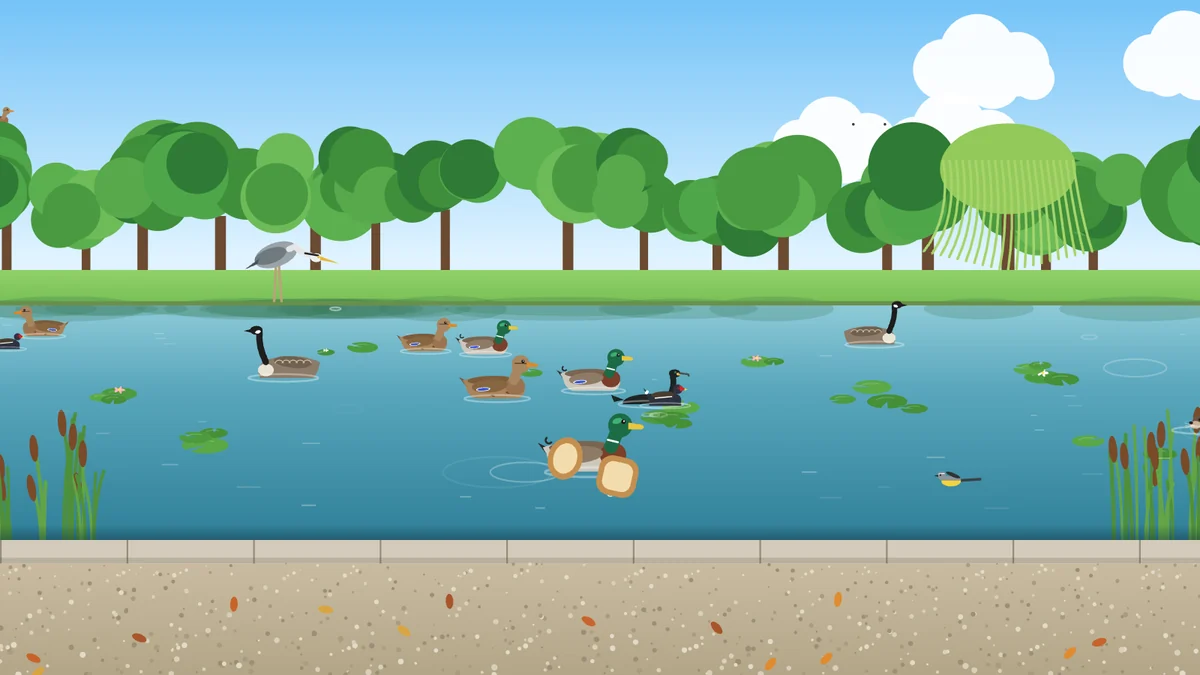
Feeding the ducks, throwing bread
Feeding the ducks, throwing breadPress OK on the remote and a piece of bread lands in the water. The arrows throw it left, right, far and near.Samsung TV game, HTML5 canvas
Feeding the ducks, on the path
Feeding the ducks, on the pathKeep throwing and the duck hops out and pecks up every piece. Stop, and it says bye bye and swims off.Samsung TV game, HTML5 canvas
Timekeeper, today
Timekeeper, todayWhere my confirmed time stands today, with a check-in every hour so nothing goes unlogged.Mac app
Timekeeper, hours by client
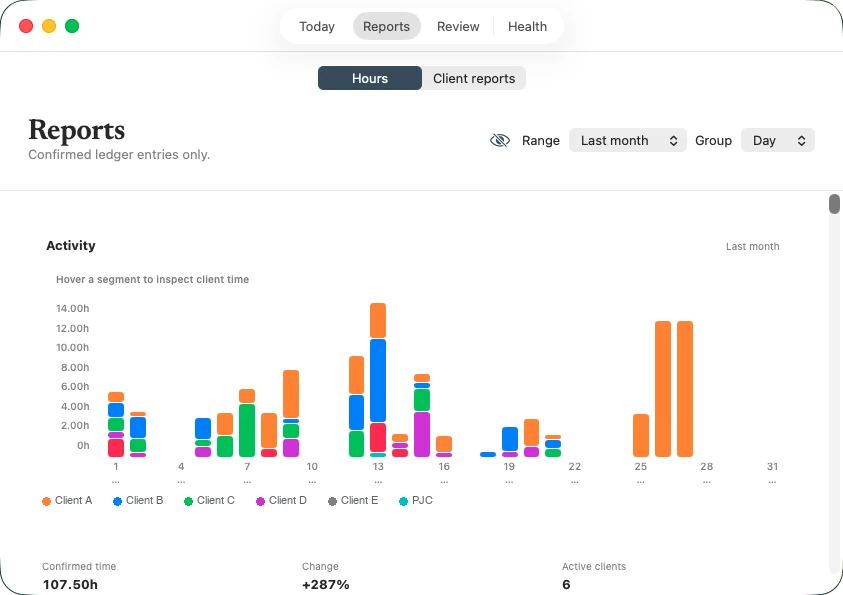
Timekeeper, hours by clientConfirmed time by client and by day. Client names hidden here.Mac app
Timekeeper, menu bar
Timekeeper, menu barCheck in, log time or review what isn't logged yet, without opening anything.Mac app
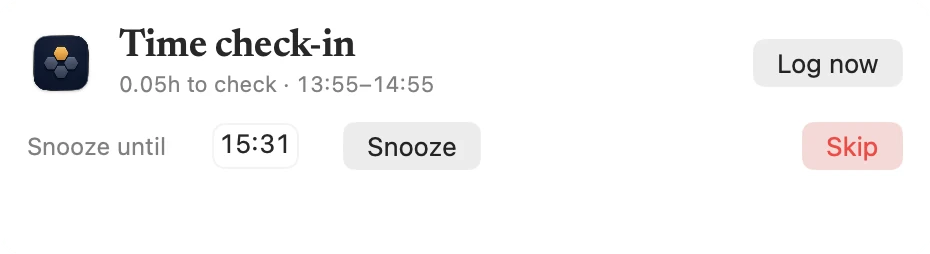
Timekeeper, hourly check-in
Timekeeper, hourly check-inA nudge to confirm the last hour, snooze it or skip it.Mac app

See the HubSpot apps I build for clients

Got something HubSpot can't do yet?

Tell me what's in the way. I'll tell you what I'd build, roughly how long it would take, and whether you need me for it.

Book a call